
Create Online Survey Free: A Complete Guide to Building Surveys Without Spending Money
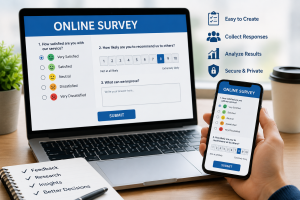
Create Online Survey Free: A Complete Guide to Building Surveys Without Spending Money
Introduction
Online surveys have become one of the easiest and most effective ways to collect feedback, conduct research, gather customer opinions, and make data-driven decisions. Whether you are a student working on a research project, a business owner seeking customer feedback, a teacher conducting classroom assessments, or a blogger trying to understand your audience, free online survey tools can help you collect valuable information quickly.
The good news is that you don’t need expensive software to create professional surveys. Several trusted platforms offer free plans that allow users to design, share, and analyze surveys without any cost.
This guide explains how to create an online survey for free, the best tools to use, and practical tips for getting more responses.
Also Read: Harry Kane Biography: Age, Family, Career, Goals, Wife, Net Worth, and Life Story
What Is an Online Survey?
An online survey is a digital questionnaire used to gather information from individuals through the internet. Respondents can complete surveys using smartphones, tablets, or computers.
Organizations use surveys for:
- Customer feedback
- Market research
- Academic research
- Employee satisfaction studies
- Product evaluations
- Event planning
- Public opinion polls
Benefits of Creating Online Surveys
Cost-Effective
Most survey platforms offer free plans that provide enough features for individuals, students, and small businesses.
Fast Data Collection
Responses can be collected instantly from participants worldwide.
Easy Analysis
Survey tools automatically organize responses into charts, graphs, and reports.
Increased Accessibility
Participants can complete surveys from any device connected to the internet.
Best Free Online Survey Tools
Comparison Table
| Google Forms | Yes | Students and Businesses | Unlimited surveys, easy sharing |
| SurveyMonkey | Yes | Customer Feedback | Professional templates |
| Jotform | Yes | Businesses | Custom forms and surveys |
| Typeform | Yes | Interactive Surveys | User-friendly design |
| Microsoft Forms Platform | Yes Free Plan Available | Education and Office Users Best For | Integration with Microsoft 365 Key Features |
How to Create a Free Online Survey
Step 1: Choose a Survey Platform
Select a trusted platform based on your needs. Google Forms is often the easiest option for beginners because it is completely free and integrates with Google Drive.
Step 2: Create Your Survey
Add a title and description explaining the purpose of the survey.
Example:
Customer Satisfaction Survey
“We value your feedback and would appreciate your honest opinions about our products and services.”
Step 3: Add Questions
Common question types include:
- Multiple choice
- Checkboxes
- Short answers
- Paragraph responses
- Rating scales
- Dropdown menus
Step 4: Customize the Design
Many survey platforms allow you to:
- Add logos
- Change colors
- Upload images
- Choose themes
Step 5: Review and Test
Before sharing the survey:
- Check spelling and grammar
- Test every question
- Ensure response options work correctly
Step 6: Share the Survey
You can distribute surveys through:
- Websites
- QR codes
Real-World Examples
Case Study 1: Student Research Project
A university student used Google Forms to collect responses from over 200 participants for a final-year research project. The survey helped gather data quickly without printing questionnaires.
Case Study 2: Small Business Feedback
A local restaurant created an online survey asking customers about food quality and service. The feedback helped management improve customer satisfaction.
Case Study 3: Blogger Audience Research
A blogger used a free survey to learn which topics readers wanted to see more often. The results improved content planning and increased website engagement.
Also Read: Tom Cruise Biography by Jeff Benedict: The Life, Career, Success, and Legacy of a Hollywood Icon
Tips for Getting More Survey Responses
Keep Surveys Short
Most people prefer surveys that take less than five minutes to complete.
Use Simple Language
Avoid technical terms and confusing questions.
Explain the Purpose
Tell respondents why their feedback matters.
Make Surveys Mobile-Friendly
Most users complete surveys on smartphones.
Share Through Multiple Channels
Promote your survey across social media, email, and websites.
- Common Mistakes to Avoid
- Asking too many questions
- Using biased wording
- Making questions unclear
- Ignoring mobile users
- Failing to test the survey before sharing
Popular Uses of Online Surveys
For Students
- Research projects
- Thesis data collection
- Classroom assessments
For Businesses
- Customer satisfaction surveys
- Product feedback
- Market research
For Organizations
- Employee engagement surveys
- Event evaluations
- Community feedback
Frequently Asked Questions
Can I create an online survey for free?
Yes. Platforms such as Google Forms, Microsoft Forms, and SurveyMonkey offer free survey creation options.
Which free survey tool is best?
Google Forms is widely considered one of the best free survey tools because it offers unlimited surveys and responses.
Do I need coding skills?
No. Most survey builders use simple drag-and-drop tools.
Can I use surveys on mobile devices?
Yes. Modern survey platforms are designed to work on smartphones and tablets.
How can I share my survey?
You can share surveys through links, email, social media platforms, websites, or QR codes.
Conclusion
Creating an online survey for free has never been easier. Whether you need feedback for a business, research for a school project, or insights from your audience, free survey platforms provide powerful tools without requiring a financial investment.
By choosing the right platform, asking clear questions, and sharing your survey effectively, you can collect meaningful data that helps you make better decisions.
Sources
This article is based on information from major survey platforms, including Google Forms, SurveyMonkey, Microsoft Forms, Typeform, and Jotform, along with industry best practices for survey design and data collection.
Call to Action
Have you used an online survey tool before? Share your experience in the comments below, and subscribe for more technology guides, productivity tips, and digital tools tutorials.
About The Author
